Roundups
Website Templates for Film, Video and Motion Studios (Framer, 2026)

Most website templates are built for still images. If your work moves, that is a problem: reels get squeezed into small cards, case studies have no room for video, and the site feels like a slideshow.
A studio site for film, video or motion work needs a few specific things. Here is what to look for, and the two Framer templates I built for exactly this.
Quick picks
Best premium option: Margins Studio ($99)
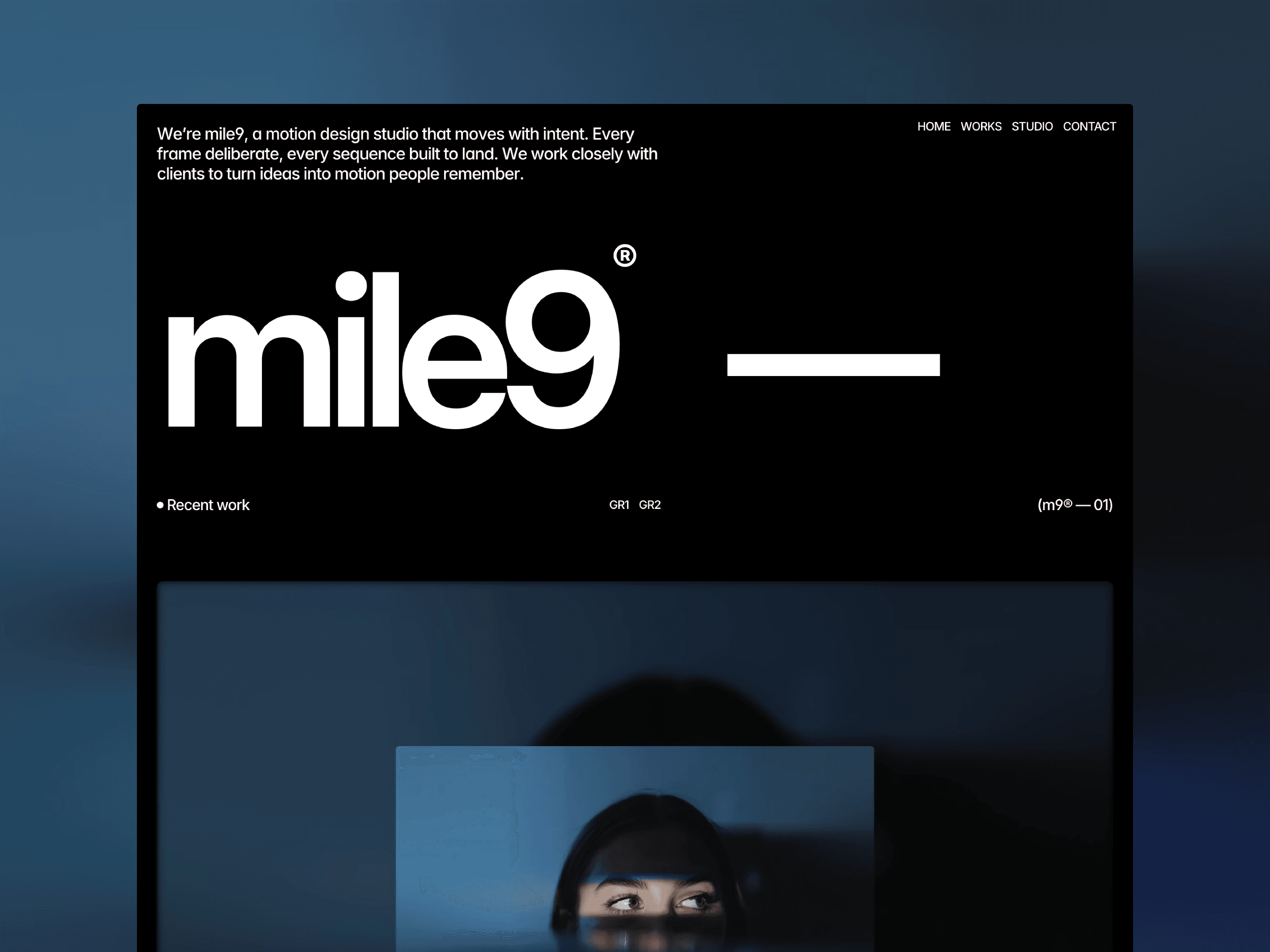
Best free option: mile9
What a film or motion studio site needs
A reel up front. Visitors should see moving work within a second of landing.
Case studies that support video. Each project needs room for a video cover and several clips or stills.
Filters. Clients look for a specific kind of work, like commercials, music videos or brand films.
A studio or team page. Production is a people business, so show who is behind the work.
Speed. Heavy video can make a site slow. The template should load media sensibly.
1. Margins Studio
Margins Studio treats every page like a frame. Corner marks, a running timecode, a ruler along the bottom edge and a soft layer of film grain set the mood without competing with your footage.
Full-screen video hero with an intro reel, auto-advance and progress tabs
CMS case studies with video or image covers and a 10-slot media grid
Work page with discipline filters and a grid or list view
Studio page for your team, clients, services and awards, all in the CMS
News section with full articles, author and read time
Best for: film and video production companies, directors, motion studios, brand studios
Pages: Home, Work, Project, Studio, News, Article, Contact, 404
Price: $99
See the live preview on the Margins Studio template page.
2. mile9
mile9 is quieter. It is built for motion design studios and animation teams that prefer typographic clarity and restraint. The layout stays out of the way, so your reels carry the page.
Best for: motion design studios, animation agencies, small creative teams
Includes: 6 pages and 14 components, tuned for SEO and page speed
Price: Free
See the live preview on the mile9 template page.
How to structure a video case study
A strong project page for moving work is more than an embedded film. It gives the viewer context, shows the craft and makes it easy to see the result. This order works well in Margins Studio’s project template and in mile9:
Cover. A short looping clip or a strong still from the final piece.
One-paragraph brief. Client, format and what the piece needed to do.
The film. The final cut, embedded or uploaded.
Behind the scenes. Stills, frames, storyboards or set photos in the media grid.
Credits. Director, DOP, editor, colour, sound. Collaborators often share pages that credit them, which brings visitors and links.
Getting a video site found in search
Search engines cannot watch your reel. They read the words on the page. That is why many studio sites with beautiful work barely show up on Google: every project page is just a video and a title.
Give each project a descriptive title, like “Brand film for a coffee roaster”, not just the client’s name.
Write a short description for each project, including the type of work and the industry.
Mention your city or region on the homepage and studio page if you want local clients.
Fill in page titles and descriptions for the CMS project template using CMS fields.
Pre-launch checklist
Hero reel compressed and under a few megabytes.
Poster images set for every video.
Every project has a title, description and credits.
Contact details visible on every page.
Site checked at phone width, where autoplay video behaves differently.
What to put on your studio page
Production companies win work on trust, and clients want to know who they will be working with. A good studio page answers that in a minute.
Who you are. A short paragraph on what the studio makes and for whom.
The team. Names, roles and a photo. Directors and key crew matter most.
Clients. A logo wall or a simple list of brands you have worked with.
Services. Development, production, post-production, animation. Be specific about what you take on.
Recognition. Awards, festival selections or press, if you have them. Leave this out rather than padding it.
Margins Studio manages all of these through the CMS, so you can update the team or add a new award without touching the layout. See it on the Margins Studio template page.

Margins Studio or mile9?
Pick Margins Studio if you have a lot of projects, want filters, a news section and a full studio page, and like a cinematic look. Pick mile9 if you want something minimal and free, or you are a small team with a handful of strong pieces.
Tips for video on a Framer site
Keep hero reels short, 15 to 30 seconds, and compress them before uploading.
Use a still image as the poster frame so the page looks finished before the video loads.
Host long films on Vimeo or YouTube and embed them on the project page.
Write a sentence or two of context for each project. Search engines cannot watch your video.
FAQ
Can I upload video directly to Framer?
Yes. Framer supports uploaded video files, which work well for short loops and reels. For long films, embedding from Vimeo or YouTube is usually lighter.
Do these templates work on mobile?
Yes. Both are fully responsive for desktop, tablet and phone.
Can I change the film grain and frame details in Margins Studio?
Yes. They are regular layers and styles in Framer, so you can tone them down or remove them.

Written by
Chayan Panda
Independent designer and Framer developer. I design, build and maintain every template on chayan.studio.


